7 Best Password Managers in 2026 — Tested for Security, Price, and Real-World Use
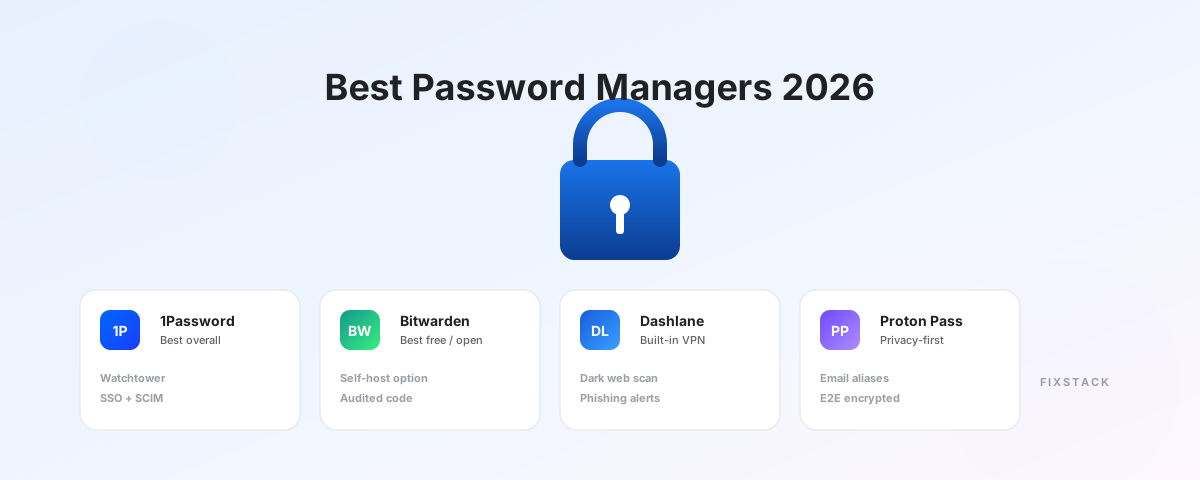
A password manager is the single highest-leverage security upgrade most people can make. The wrong choice is still dramatically better than reusing the same eight-character password across thirty accounts. The right choice closes the most common attack path used against individuals and small businesses today.
We tested seven password managers across daily use, team setup, recovery flows, and security architecture. The differences matter — but not in the way most reviews frame them.
How we evaluated
We ran each manager for a minimum of three weeks of real daily use across iOS, Android, macOS, Windows, Chrome, Safari, and Firefox. Scoring weighted security architecture (30%), real-world UX (25%), business features (20%), pricing (15%), and recovery / sharing flows (10%).
The headline result: 1Password is still the best overall paid product. Bitwarden is the best free option and the best value. Proton Pass is the best privacy-first choice. Everything else is good, but situational.
At-a-glance recommendation
| If you are… | Pick |
|---|---|
| Most individuals and families | 1Password |
| Privacy-focused or budget-conscious | Bitwarden |
| Already using Proton Mail or VPN | Proton Pass |
| Already paying for NordVPN | NordPass |
| In a regulated enterprise (FedRAMP, HIPAA) | Keeper |
| Wanting password manager + VPN in one bill | Dashlane |
| Filling forms all day and watching cost | RoboForm |
1. 1Password — Best overall
Best for: Individuals, families, and small-to-mid businesses who want the most polished experience.
1Password’s lead is no longer just product polish — it is product maturity. Watchtower (their breach and weak-password monitor), Travel Mode (which removes vaults from devices crossing borders), and the Secret Key model (a second factor that lives only on your devices) are the kind of features competitors have copied but not improved on.
For business use, 1Password’s SCIM provisioning, SAML SSO, custom group policies, and audit logs are best-in-class for the price. The Teams plan at $19.95 / 10 users / month is genuinely cheap relative to Keeper or LastPass Business.
The criticism that matters: the Secret Key throws off some new users at setup, and you lose your vault permanently if you lose both your master password and Secret Key. That is a security feature, not a bug — but it requires you to actually save the Emergency Kit somewhere safe.
Pricing: $2.99 / mo (Individual), $4.99 / mo (Families, 5 users), $19.95 / mo (Teams, 10 users), $7.99 / user / mo (Business).
Verdict: Pick 1Password unless you have a specific reason to pick something else.
2. Bitwarden — Best free and best value
Best for: Privacy-focused users, developers, and anyone who refuses to overpay for software.
Bitwarden’s free tier is not a trial — it is genuinely usable forever. Unlimited passwords across unlimited devices with autofill on every major browser is something every other manager on this list has crippled to push you toward paid plans.
The technical story is strong. Code is open-source, audited annually by third parties (most recently Cure53 and Insight Risk Consulting), and the encryption architecture is essentially identical to 1Password’s. For users who want to verify rather than trust, this matters.
The Premium plan at $10/year (yes, per year, not per month) adds emergency access, attachment storage, and TOTP code generation. That is the cheapest serious password manager on the market.
Pricing: Free / $10 per year (Premium) / $40 per year (Family) / $4 per user/mo (Teams).
Verdict: If you cannot justify $36/year for 1Password, Bitwarden is not a step down — it is a different tradeoff. You give up some UX polish and get open-source verifiability and a free tier that is not artificially limited.
3. Proton Pass — Best privacy-first
Best for: Users already in the Proton ecosystem, or anyone who prioritizes privacy by jurisdiction.
Proton Pass is the youngest serious entrant on this list. It launched in 2023 and matured fast. The differentiators that matter:
- Hide-my-email integration: generate a unique email alias for every signup. Your real address never touches third-party services.
- Swiss privacy law: stronger legal protections than US-based services, and Proton has a track record of public legal pushback.
- Bundled with Proton Mail, Drive, and VPN through Proton Unlimited at $9.99/month — which is genuinely good value if you use multiple Proton products.
The gap to 1Password and Bitwarden is in business administration, integrations, and import workflows for people switching from incumbents. If you are a privacy-focused individual or small team, Proton Pass is a real choice. If you are a 200-person company, it is not yet there.
Pricing: Free / $1.99/mo (Pass Plus) / Bundled in Proton Unlimited at $9.99/mo.
Verdict: Best privacy story. Younger product. Outstanding value if you already pay for Proton Mail or VPN.
4. Dashlane — Best for password manager + VPN bundle
Best for: Users who want a single bill that covers password management and basic VPN.
Dashlane’s autofill is the smoothest in this list — it handles complex multi-step login flows that trip up other managers. Dark web monitoring with active alerts, phishing protection, and a dashboard that surfaces specific actions (rather than just listing problems) are well done.
Two real concerns: price (Dashlane Premium at $4.99/month is more expensive than 1Password Individual at $2.99/month for largely overlapping features), and the bundled VPN is a Hotspot Shield reskin that does the basic job but is not what you would pick standalone.
Pricing: Free (1 device, 25 passwords) / $4.99/mo (Premium) / $7.49/mo (Friends & Family).
Verdict: Pay for Dashlane if you want one bill for password + VPN. If you would pick a real VPN separately anyway, 1Password or Bitwarden costs less.
5. NordPass — Best inside the Nord ecosystem
Best for: Users who already pay for NordVPN, NordLocker, or NordPass family bundles.
NordPass is competent and well-priced when bought inside the Nord bundle. Standalone, it does not differentiate enough from 1Password or Bitwarden to be a top pick. The XChaCha20 encryption is technically newer than AES-256, but the practical security difference is academic.
The real reason to pick NordPass: if you are already going to buy NordVPN, the bundle pricing makes NordPass essentially free. Outside that bundle, the value case weakens.
Pricing: Free (1 device) / $1.79/mo (Premium, 2-year) / Bundle pricing through NordVPN Plus.
Verdict: Solid product, but only the right pick if you are inside the Nord ecosystem.
6. Keeper — Best for regulated enterprise
Best for: Companies in regulated industries (healthcare, finance, government).
Keeper has the strongest compliance certification stack of any consumer-facing password manager: SOC 2 Type II, ISO 27001, FedRAMP Authorized, HIPAA, GDPR. For organizations where procurement requires a specific certification, Keeper is often the only option that clears legal review.
Outside of that requirement, Keeper is competitive but not differentiated. Consumer pricing is mid-range; the UI feels admin-first; the BreachWatch and dark web monitoring features are sold as separate add-ons that bump the real cost up.
Pricing: $2.92/mo (Personal, annual) / $4.87/mo (Family) / $3.75/user/mo (Business) / Custom (Enterprise).
Verdict: Don’t buy Keeper unless your security team specifically requires its certifications. If they do, it is the right answer.
7. RoboForm — Best for form-fillers on a budget
Best for: Users who fill out long forms (banking, government, insurance) frequently and want to save money on renewals.
RoboForm has been around since 1999. The product feels like it. The UI is dated, the mobile apps lag desktop, and the marketing budget is tiny. But the autofill engine is unusually good at complex, multi-page forms — better than 1Password and Bitwarden in our testing on government and banking sites.
If you fill out a lot of forms (financial services workers, paralegals, anyone in claims processing), RoboForm earns its place. For everyone else, the modern competitors are worth the small extra cost.
Pricing: Free (unlimited devices, basic features) / $1.99/mo (Premium, annual) / $3.35/user/mo (Business).
Verdict: Niche but genuinely good at form filling. Most users should still pick 1Password or Bitwarden.
Pricing comparison
| Manager | Free tier | Individual paid | Family / 5 users | Business / user |
|---|---|---|---|---|
| 1Password | None (14-day trial) | $2.99 / mo | $4.99 / mo | $7.99 / mo |
| Bitwarden | Unlimited devices/passwords | $10 / year | $40 / year | $4 / mo |
| Dashlane | 1 device, 25 passwords | $4.99 / mo | $7.49 / mo | $5–8 / mo |
| Proton Pass | Generous free tier | $1.99 / mo | $3.99 / mo | $7.99 / mo |
| NordPass | 1 device | $1.79 / mo (2yr) | $2.79 / mo (2yr) | $3.99 / mo |
| Keeper | Trial only | $2.92 / mo | $4.87 / mo | $3.75 / mo |
| RoboForm | Unlimited devices | $1.99 / mo | $3.98 / mo | $3.35 / mo |
Security architecture — what to actually care about
Most password managers in 2026 use the same fundamental security model: zero-knowledge encryption, where your data is encrypted on your device before it ever touches a server. Your master password is never sent anywhere. This is good. It also means if you lose your master password, your data is gone — the company physically cannot help you.
What varies between managers:
- AES-256 vs XChaCha20: Both are unbroken. The difference is academic.
- PBKDF2 vs Argon2: Argon2 (Bitwarden, NordPass, Proton Pass) is stronger against modern GPU attacks than PBKDF2 (older 1Password vaults). 1Password mitigates this with their Secret Key model.
- Open-source vs closed-source: Open-source (Bitwarden, Proton Pass, KeePassXC) lets independent researchers audit the code. Closed-source forces you to trust the vendor and their published audit reports.
- Self-hosting: Only Bitwarden offers a real self-hosting option among major commercial products. KeePass and KeePassXC (not on this list) are fully self-hosted by default.
What we did not include and why
- LastPass: After the 2022 breach exposed encrypted vaults including company data, we no longer recommend LastPass for new users. The technical response was inadequate.
- Apple Passwords / iCloud Keychain: Genuinely good if you live entirely in Apple’s ecosystem. Excluded because cross-platform is a hard requirement for most readers.
- Google Password Manager: Free, fine for casual use, weak on sharing, recovery, and breach monitoring.
- KeePass / KeePassXC: Excellent free option for technical users, but requires manual sync setup and has no team features.
- Enpass: Good local-first option, but smaller team and slower feature velocity than the leaders.
Quick decision tree
- Most people: 1Password.
- Want it free, forever: Bitwarden.
- Care most about privacy: Proton Pass.
- Already in Nord or Proton ecosystems: NordPass or Proton Pass.
- Need compliance certifications: Keeper.
- Want VPN bundled: Dashlane.
- Mostly fill forms: RoboForm.
What about passkeys?
All seven managers above support passkey storage in 2026. Passkeys are not a replacement for password managers — they are a credential type that password managers store alongside passwords. The transition to passkeys is real but slow; you will need a password manager for at least the next several years regardless.