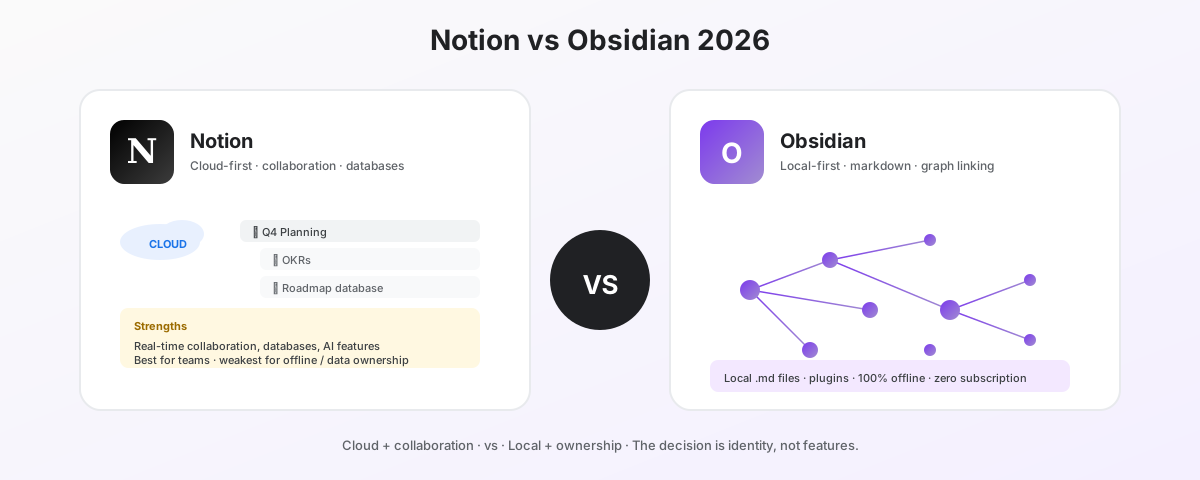
People keep framing Notion vs Obsidian as a feature comparison. It is not. They are different categories of product solving different problems for different users. Most people who pick the wrong one made that decision by reading a feature checklist instead of asking what they actually want from their notes.
This is the comparison most reviews avoid because it requires saying “neither, depending on you.”
The 30-second decision
Pick Notion if:
- You are working with a team
- You need databases, dashboards, or project tracking inside your notes
- Real-time collaboration is part of how you work
- You want one tool for docs, wiki, tasks, and lightweight CRM
- You are okay with cloud storage and a SaaS subscription model
Pick Obsidian if:
- You are building a long-term personal knowledge base for yourself
- You want full ownership of your notes as plain markdown files on your disk
- You work offline often (planes, basements, regions with bad connectivity)
- You care about bidirectional links and graph-based knowledge over hierarchical pages
- You are technically inclined and willing to install plugins to extend the tool
They are not really competing
Notion’s core product is a collaborative workspace. It is closer to Google Workspace, Confluence, and ClickUp than to Obsidian. The killer features are databases that sync across views, real-time multi-user editing, and a hierarchical page model that scales for team documentation.
Obsidian’s core product is a personal knowledge base on your local machine. It is closer to Roam Research, LogSeq, and a folder of text files in your editor than to Notion. The killer features are bidirectional linking, the graph view, and the fact that your notes are .md files you own.
If a team of five asks “Notion or Obsidian?”, the answer is Notion 95% of the time. If a researcher asks the same question, the answer is Obsidian 80% of the time. The right pick depends on what you are actually doing.
Cloud vs local — the architectural difference
Almost every other comparison flows from this one.
Notion stores your content in Notion’s cloud. Your notes live on their servers. Access requires an internet connection (offline mode is limited and unreliable). Your data is in Notion’s proprietary format — exportable to Markdown or HTML, but with imperfect fidelity. You are renting space in someone else’s database.
Obsidian stores your content in plain markdown files in a folder on your hard drive. That folder is called a “vault.” You can open it in any text editor, version control it with git, sync it through any service (Dropbox, iCloud, OneDrive, or Obsidian Sync), or back it up by zipping it. You own your notes the same way you own a spreadsheet on your desktop.
This architectural choice has downstream consequences:
| Concern | Notion | Obsidian |
|---|---|---|
| Internet required to read | Yes (mostly) | No |
| Vendor lock-in | High — proprietary format | Low — plain markdown |
| Backup strategy | Export feature | Copy the folder |
| Performance on large workspaces | Slows down at scale | Loads instantly, locally |
| Real-time collaboration | Native | Requires third-party setup |
| Data privacy posture | Trust Notion’s policies | Notes never leave your device |
This is the choice. Everything else is downstream.
Pricing — and the value question
Notion pricing (annual):
| Plan | Price | What you get |
|---|---|---|
| Free | $0 | Personal use, unlimited pages, 10 guests |
| Plus | $10/user/mo | Unlimited file uploads, 30-day history |
| Business | $18/user/mo | SSO, advanced permissions, AI included |
| Enterprise | Custom | Audit logs, SCIM, advanced controls |
Notion AI features (Meeting Notes, Research Mode, Enterprise Search) require Business tier or a $10/month add-on per user.
Obsidian pricing:
| Plan | Price | What you get |
|---|---|---|
| Personal | Free, forever | Full app on every platform |
| Sync | $5/mo | Encrypted cross-device sync |
| Publish | $10/mo | Publish notes as a website |
| Commercial license | $50/user/year | For business use |
This is not a fair fight on price. Obsidian is free for personal use and adds optional services only if you want them. Notion’s free tier is genuinely good for individuals but most teams will hit Plus or Business pricing fast.
For a 10-person team, three years of Notion Business is $6,480. Three years of Obsidian Commercial Sync for the same team is $3,300. The catch: those tools do different things, so this comparison is not apples-to-apples for most teams.
Collaboration
Notion wins this category decisively.
Notion’s collaboration model:
- Real-time multi-user editing with live cursors
- Comments, mentions, and reactions inline
- Granular page-level permissions (read, comment, edit, full access)
- Workspace-wide search across shared content
- Native sharing controls and external guest access
Obsidian’s collaboration model:
- Single-user by design
- Sharing requires syncing the same vault between users (via git, Obsidian Sync, or shared cloud folders)
- No real-time editing — last save wins
- Plugins (e.g., Relay) add multi-user capabilities but are third-party and immature
- Permissions are filesystem-level, not document-level
If you need to work with other people on the same notes in real time, Obsidian is not the right tool. There is no comparison here.
Collaboration winner: Notion — by a wide margin.
Personal knowledge management
Obsidian wins this category as decisively as Notion wins collaboration.
Obsidian’s PKM strengths:
- Bidirectional links (the killer feature) — every note knows what links to it
- Graph view visualizes how your notes connect
- Plain markdown means no rendering tax — notes load instantly
- Plugin ecosystem (1,500+ community plugins) extends functionality endlessly
- Daily Notes, Templates, and Periodic Notes plugins build a structured journaling and reflection system
- Community workflows (Zettelkasten, PARA, Building a Second Brain) are well documented for Obsidian
Notion’s PKM weaknesses:
- Linking exists but is one-directional by default; backlinks are a separate, weaker view
- Performance degrades on large personal knowledge bases (10k+ notes)
- The hierarchical page model conflicts with networked knowledge graphs
- Notion AI helps but doesn’t compensate for weaker linking primitives
If your goal is a long-term personal knowledge base — a “second brain” — Obsidian was built for that workflow. Notion can be coerced into doing PKM, but it is not what the product was designed for.
PKM winner: Obsidian — by a wide margin.
AI features
This category was Notion’s lead through 2024. The gap closed in 2025.
Notion AI:
- Native AI features built in: Q&A, summarization, translation, drafting
- Meeting Notes AI transcribes and summarizes meetings
- Research Mode generates structured research from prompts
- Enterprise Search lets you query across your workspace
Obsidian AI:
- No native AI features — Obsidian’s philosophy is plugin-driven
- Plugins integrate ChatGPT, Claude, Gemini, and local LLMs (e.g., Ollama)
- Smart Connections plugin builds local semantic search over your vault
- Copilot for Obsidian is the most popular AI plugin and supports any major API
If you want AI built in and don’t want to set anything up: Notion. If you want AI you can configure to use any model (including local LLMs running on your own hardware): Obsidian, via plugins.
AI winner: Notion — for ease. Obsidian wins if you care about model flexibility and local AI.
Offline and data ownership
Obsidian: Your notes are markdown files. They work fully offline. They are yours. You can read them in 20 years on any device that can read text. There is no scenario where Obsidian going out of business takes your notes with it.
Notion: Cloud-first. Offline mode exists but is reliably broken for any non-trivial workflow. If Notion changes pricing, becomes unstable, gets acquired, or shuts down, your migration story is “export and rebuild.”
For people whose notes are part of long-term creative or intellectual work — researchers, writers, founders building a long-term knowledge asset — this matters more than feature lists suggest.
Offline + ownership winner: Obsidian — by definition.
Where the comparison gets misframed
Three myths show up in almost every Notion vs Obsidian comparison.
Myth 1: “Obsidian has a steep learning curve.” It is steeper than Notion if you commit to building a graph-based knowledge system. It is flatter than Notion if you just want to write notes — Obsidian’s editor is closer to a text editor than to a workspace with a database engine.
Myth 2: “Notion is for teams, Obsidian is for individuals.” Mostly true, with caveats. Notion is fine for individuals if you want a workspace. Obsidian works for small technical teams who share a vault via git.
Myth 3: “You should pick one.” You shouldn’t necessarily. Many people use Notion for team work and Obsidian for personal notes. They cost different amounts of money, do different things, and serve different needs. Buying both is reasonable.
Common workflows for each
Notion is best when you are doing:
- Team wiki and documentation
- Project management with linked tasks and databases
- Lightweight CRM or pipeline tracking
- Internal tool building (forms → databases → views)
- Onboarding documentation for new hires
- Customer-facing public pages or knowledge bases
Obsidian is best when you are doing:
- Long-form research with linked sources
- Personal journaling and reflection
- Writing books, papers, or essays
- Building a Zettelkasten or networked knowledge system
- Studying with spaced repetition (via Anki integration plugins)
- Programming notes, architecture decisions, technical reference
The honest verdict
There is no winner. There is a fit question.
Pick Notion if you are a team, you collaborate live, you need databases, or you want one tool for many workflows. The cloud-first model and subscription cost are real downsides, but they buy you collaboration capability that Obsidian cannot replicate.
Pick Obsidian if you are an individual building knowledge for yourself, you value data ownership, or you work offline. The single-user model and the lack of native AI are real downsides, but they buy you full ownership and a tool you can rely on for decades.
The most common mistake is picking Notion because it looks more polished, then trying to use it as a personal knowledge base — and being frustrated when bidirectional linking is weak and the workspace gets slow at scale. The second most common mistake is picking Obsidian because it sounds technical and powerful, then trying to use it as a team workspace — and being frustrated when collaboration is essentially manual.
Pick the one that fits how you actually work, not the one with the better marketing.