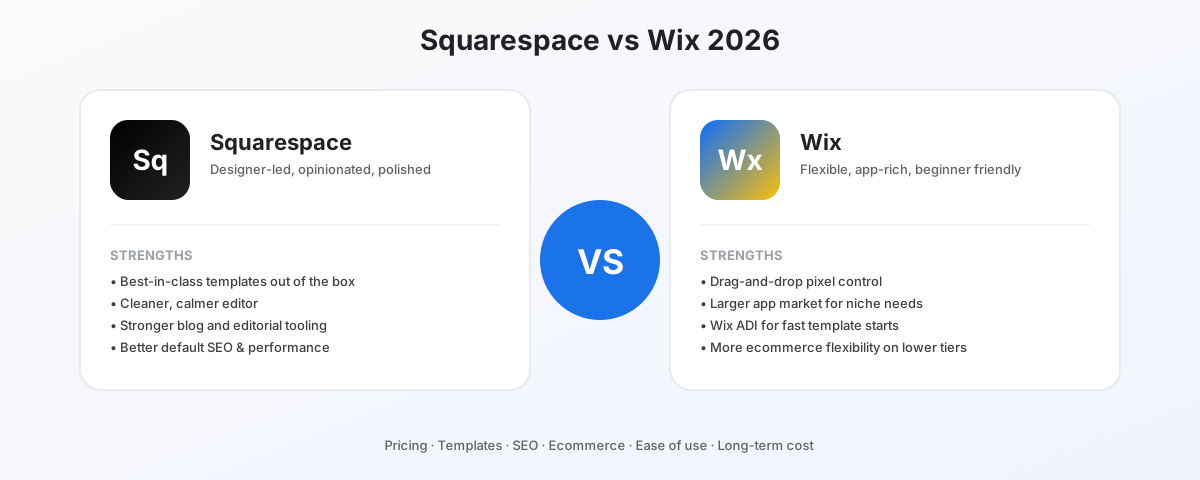
Squarespace and Wix are the two most-searched website builders for a reason: they cover almost everyone who does not want to touch WordPress. The decision between them is genuinely close — closer than most paid comparison articles will tell you — but it is not 50/50.
Squarespace wins for the majority of small businesses, creators, restaurants, photographers, and service providers. Wix wins in a smaller set of specific cases that are easy to identify if you know what to look for.
The 30-second verdict
Pick Squarespace if:
- You want a polished, designer-led site without hiring a designer
- You value a calmer, opinionated editor that prevents bad design choices
- Your content is service, portfolio, or editorial — not heavy ecommerce
- You want SEO and performance to be defaults, not configuration projects
Pick Wix if:
- You need pixel-level layout control and you are willing to take responsibility for design
- You need a specific app (booking, CRM integration, niche feature) that Squarespace lacks
- You are running a high-volume ecommerce store with complex catalog or shipping needs
- You are technically inclined and want Velo (Wix’s developer extension layer)
Pricing in 2026 — the part most reviews get wrong
Headline pricing favors Wix. Real annual cost favors Squarespace once you account for what people actually buy.
Squarespace pricing (annual):
| Plan | Price | What you get |
|---|---|---|
| Personal | $16/mo | Single site, no commerce, custom domain, unlimited bandwidth |
| Business | $23/mo | Adds basic commerce, 3% transaction fee, advanced analytics |
| Commerce Basic | $28/mo | No transaction fees, ecommerce features |
| Commerce Advanced | $52/mo | Subscriptions, abandoned cart, advanced shipping |
Wix pricing (annual):
| Plan | Price | What you get |
|---|---|---|
| Light | $17/mo | 2GB storage, basic features, Wix branding removed |
| Core | $29/mo | 50GB storage, basic ecommerce, accept payments |
| Business | $36/mo | 100GB storage, full ecommerce, no Wix transaction fees |
| Business Elite | $159/mo | Unlimited storage, advanced ecommerce, priority support |
The real comparison most users actually face:
A small business with a single domain, a contact form, a few content pages, and the ability to take payment lands on Squarespace Business at $23/mo or Wix Core at $29/mo. Squarespace is cheaper at this tier and includes more polish out of the box.
For ecommerce with no transaction fees: Squarespace Commerce Basic at $28/mo vs Wix Business at $36/mo. Squarespace wins again.
The plans where Wix can be cheaper are entry-level (Light at $17/mo) and at the high end (Business Elite, with unlimited storage that most businesses never need).
Pricing winner: Squarespace — slightly cheaper at the tiers most users actually buy.
Templates and design
This is where the difference is most visible.
Squarespace has roughly 150 active templates as of 2026, all designed in-house with the same visual language. Every Squarespace site looks like it was made by a designer. The downside: every Squarespace site looks like a Squarespace site. If your goal is brand differentiation, you will need to push the editor harder.
Wix has 800+ templates, many of which look dated. The variance is much wider. A skilled user can build something more distinctive on Wix than on Squarespace. An unskilled user will build something noticeably worse on Wix than they would on Squarespace, because Wix’s freedom includes the freedom to make bad choices.
The pattern repeats across the editor experience itself. Squarespace’s grid-based editor enforces design constraints that protect non-designers from themselves. Wix’s drag-and-drop pixel editor gives you unlimited rope.
Templates winner: Squarespace — for non-designers. Wix wins for designers who want full control.
Editor and ease of use
The editing models are fundamentally different and the choice often comes down to which model your brain prefers.
Squarespace’s “Fluid Engine” is grid-based with section-level layouts. You add a section, choose a layout, and content snaps to a structured grid. The constraint feels limiting at first and freeing after a week — your site cannot easily look bad.
Wix’s editor is fully free-form. You drag elements anywhere on the canvas. Tooltips, animations, parallax effects, and complex layouts are easier to build, and easier to break across mobile. Wix’s mobile editor is a separate view because their desktop layouts often do not translate cleanly.
For first-time builders: Squarespace is faster to a finished site that looks intentional. For experienced builders: Wix offers more creative latitude.
Editor winner: Squarespace — for first-time builders. Wix wins for power users.
SEO and performance
Both have improved significantly since 2020. Both can rank fine for typical small business queries. There are real differences in defaults.
Squarespace defaults:
- Clean URL structure
- Automatic image optimization (WebP/AVIF where supported)
- Server-side rendering with reasonable Core Web Vitals
- Built-in schema markup for products, articles, events
- Sitemap and robots.txt generated automatically
Wix defaults:
- Improved URL structure (no longer the disaster it was in 2018)
- Image optimization is opt-in for some formats
- Client-side rendering on many template types — Core Web Vitals are weaker by default
- Schema markup requires app installations or Velo
- Sitemap generated automatically; some configuration needed for indexable depth
For a small business that just wants their pages to show up in Google for branded and local queries, both will work. For content-heavy sites trying to rank for competitive informational queries, Squarespace’s defaults are stronger and require less configuration to get to good Core Web Vitals.
SEO and performance winner: Squarespace — defaults are better. Either can be tuned, but the work needed on Wix is more.
Ecommerce
This is where Wix’s case strengthens.
Squarespace Commerce strengths:
- Cleaner checkout UX out of the box
- Better integration with Squarespace’s content tools (blog, scheduling, members)
- Strong subscription products on Commerce Advanced
- Lower transaction-fee tier ($28/mo with no transaction fees)
Squarespace Commerce limits:
- Smaller catalog (works fine up to a few hundred SKUs; struggles past that)
- Fewer payment gateways than Wix
- Limited shipping rules — complex zone-based rates require workarounds
- No native dropshipping integration
Wix Stores strengths:
- Larger app market for niche commerce features
- Native dropshipping via Modalyst
- More flexible shipping rules out of the box
- Better at multi-currency selling
- Stronger headless commerce options on Business Elite
Wix Stores limits:
- Checkout UX is still slightly behind Squarespace
- Editor complexity scales with catalog size
Ecommerce winner: Wix — for stores past a few hundred SKUs or with complex shipping. Squarespace wins for the typical small online shop with fewer than 100 products.
Long-term cost — the part nobody tells you
Two hidden costs change the answer.
Squarespace cost over time: stays close to advertised. Renewal pricing is roughly the same as initial pricing if you pay annually. The platform pushes fewer add-on apps. Your three-year cost is predictable.
Wix cost over time: drifts up. Wix’s app market is large because the core product depends on apps for features that Squarespace ships natively (advanced forms, certain SEO features, member-only content). A typical Wix site with 4–5 paid apps adds $30–80/month on top of the base plan. Renewal pricing also creeps up year over year.
For a comparable feature set, Squarespace’s three-year total cost is usually lower than Wix’s — sometimes by $500–1500 over that window. This is the most undersold point in most comparisons.
Long-term cost winner: Squarespace — substantially.
Where Wix is the right answer
Despite Squarespace winning most categories, Wix is the better choice in specific situations:
- You need pixel-level design control for a brand-driven site
- You need a specific app that Squarespace lacks (advanced booking, certain CRMs, vertical-specific tools)
- You are running a large-catalog ecommerce store with complex shipping and payment needs
- You are technical and want Velo for custom JavaScript and API integrations
- Your starting budget is genuinely $17/month and you need every dollar
If none of these apply, Squarespace is the better default.
Migration: how hard is it to switch later?
Both platforms make it hard to leave. There is no clean “export to WordPress” button on either.
- Squarespace: blog content exports to WordPress XML format. Pages, products, and custom design do not migrate cleanly.
- Wix: blog content can be exported. Pages and design require manual rebuilding elsewhere.
If you are sure you will outgrow either platform within 2 years, build on WordPress (or Webflow) from the start. If you are likely to stay 3+ years, the migration risk is lower than the time saved by using Squarespace or Wix today.
The honest verdict
Squarespace wins for the majority of use cases — small businesses, creators, restaurants, service providers, photographers, and content-led sites. Better defaults, cleaner editor, stronger SEO, more honest long-term pricing.
Wix wins when you need pixel control, a specific app, or are running a high-volume online store. Bigger app market, more layout flexibility, more developer extensibility through Velo.
For the typical reader of this comparison, the answer is Squarespace. Pick Wix only if one of the specific cases above clearly applies to you.