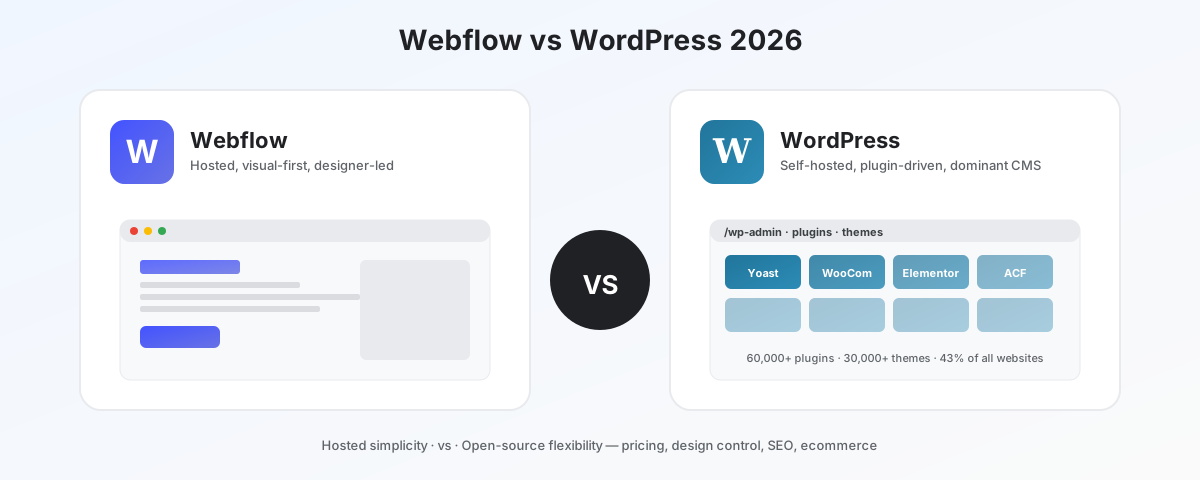
WordPress runs roughly 43% of the public web. Webflow runs a tiny fraction of that — but a disproportionate share of the marketing sites you actually want to look at. Comparing them as if they were doing the same job is the wrong starting point.
This is the honest version of that comparison.
The 30-second decision
Pick Webflow if:
- You are building a marketing site, brand site, or design portfolio
- You want pixel-level visual control without writing CSS
- You do not want to manage hosting, security patches, or plugin updates
- Your team includes a designer who will own the site long-term
- You need a fast launch and clean Core Web Vitals out of the box
Pick WordPress if:
- You are building a content-heavy publication, blog, or membership site
- You are running an ecommerce store (especially WooCommerce or larger)
- You want full ownership of your stack — code, database, hosting
- You have a budget for ongoing maintenance, or developer time available
- You need plugins for niche functionality (LMS, forums, directories, etc.)
They are different products
WordPress is open-source software you self-host (or pay a managed host to run for you). You own everything: the code, the database, the design files. The catch is you also own the maintenance — security patches, plugin updates, hosting, backups. The plugin ecosystem (60,000+ plugins, 30,000+ themes) is the largest in software.
Webflow is a hosted SaaS platform that combines a visual builder, a CMS, and hosting in one product. Webflow generates clean, production HTML/CSS/JS from a visual editor, then hosts and serves it on AWS-backed infrastructure. You pay a monthly fee for the platform; in return, you do not manage servers, security patches, or hosting.
This is the choice. Everything else is downstream.
Pricing — the part most comparisons get wrong
Headline pricing favors WordPress. Real total cost of ownership is closer than people think.
Webflow pricing (annual):
| Plan | Price | What you get |
|---|---|---|
| Basic | $14/mo | 1 site, hosting, 250 CMS items, custom domain |
| CMS | $23/mo | 2,000 CMS items, content editor seats |
| Business | $39/mo | 10,000 CMS items, advanced site search |
| Enterprise | Custom | Custom limits, dedicated support, SLA |
WordPress real cost (self-hosted, typical small business):
| Item | Annual cost |
|---|---|
| Hosting (managed: SiteGround, WP Engine, Kinsta) | $200–600 |
| Premium theme (one-time or annual) | $50–150 |
| Plugins (Yoast Premium, security, backups, forms) | $200–600 |
| SSL, CDN, performance addons | $0–200 |
| Maintenance (DIY time or developer fees) | $0–2,400 |
| Typical total | $450–4,000/year |
For a typical small business marketing site, Webflow Basic at $168/year is genuinely competitive with a managed WordPress setup at $300–800/year. For a larger or more complex site, WordPress’s flexibility wins on cost — but only if you have the time or budget to maintain it.
The hidden Webflow cost is content limits: every Webflow plan caps CMS items. Past 10,000 items, you need Enterprise. WordPress has no such cap.
Pricing winner: WordPress — for anything content-heavy or above ~10k CMS items. Webflow wins for typical marketing sites where simplicity and predictable cost matter.
Design control
This is where Webflow is genuinely better, and it is not close.
Webflow’s design model:
- Visual editor that maps directly to CSS (you are essentially writing HTML/CSS through a visual interface)
- Every layout, animation, interaction, and responsive breakpoint is editable visually
- Component reuse with style overrides
- Design output is clean, semantic HTML/CSS/JS
- Designer-friendly without compromising what gets shipped
WordPress’s design model:
- Themes provide layouts; customization happens through child themes, page builders (Elementor, Beaver Builder, Bricks, Oxygen), or the block editor (Gutenberg)
- Page builder output is often heavy and hard to maintain across themes
- Pixel-perfect visual control requires either custom theme development or a serious page builder commitment
- Block themes and full-site editing have improved significantly but still lag Webflow’s UX
For marketing sites, brand sites, and portfolios where design quality is the product, Webflow ships cleaner work faster. For sites where design is a vehicle for content, WordPress’s design tradeoffs matter less.
Design control winner: Webflow — by a clear margin.
SEO and performance
Both can rank well. Defaults differ significantly.
Webflow defaults:
- Clean, semantic HTML output
- Automatic image optimization (WebP, responsive srcset)
- Server-side rendering with strong Core Web Vitals
- AWS-backed CDN included
- Schema markup, sitemap, robots.txt out of the box
- HTTPS automatic and included
WordPress defaults:
- Cleanliness varies wildly with theme and plugin choices
- Image optimization requires plugins (Imagify, ShortPixel, EWWW)
- Performance depends heavily on hosting choice and caching setup
- CDN requires Cloudflare or hosting-provider integration
- Yoast or RankMath are required for serious schema and SEO control
- HTTPS depends on host (most managed hosts include it; cheap shared hosts often don’t)
A well-configured WordPress site (good host, lean theme, proper caching, image optimization) outperforms Webflow for content depth and indexation. A typical out-of-the-box WordPress install often loses to Webflow on Core Web Vitals.
For most teams: Webflow gives you good SEO by default. WordPress gives you the ceiling for SEO if you are willing to configure it.
SEO and performance winner: WordPress (at the ceiling) / Webflow (out of the box) — depending on whether you have the engineering time to tune.
Ecommerce
WordPress wins this category decisively at scale, but Webflow has closed the gap for small stores.
Webflow Ecommerce:
- Native ecommerce on Business and Enterprise plans
- Strong design control over store layouts
- Stripe integration native; PayPal, Apple Pay supported
- Limited to a few hundred SKUs comfortably; struggles past that
- No native subscription, marketplace, or membership model
- Transaction fees on Basic ecommerce; no fees on Plus and above
WordPress / WooCommerce:
- WooCommerce is free; runs over half of the world’s online stores
- Effectively unlimited catalog size
- Largest ecosystem of payment gateways, shipping integrations, tax tools
- Subscription products via WooCommerce Subscriptions
- Multi-vendor marketplaces, memberships, B2B pricing — all available via plugins
- Performance and security depend entirely on hosting and configuration
For a store with fewer than ~500 SKUs and standard products, Webflow Ecommerce works and looks better. For a serious online store, WooCommerce on WordPress is the only realistic answer between these two.
Ecommerce winner: WordPress — at scale or with complex catalog needs. Webflow wins for small, design-led shops.
Scalability and ownership
WordPress:
- Self-hosted = unlimited control and unlimited responsibility
- Database export, code export, full ownership of every file
- Migration to any hosting provider is straightforward
- Plugin ecosystem covers virtually any feature requirement
- Open-source: no vendor risk
Webflow:
- Hosted on Webflow infrastructure; you cannot self-host the production site
- Code export available (HTML/CSS/JS) but the CMS does not export cleanly
- Migration off Webflow means rebuilding on another platform
- Limited extensibility — Webflow’s logic and integrations stay inside their platform
- Vendor risk: you depend on Webflow’s pricing, uptime, and roadmap decisions
If your site is mission-critical and likely to outlive several technology cycles, WordPress’s ownership story is meaningful. If your site is a 3–5 year project where the tradeoff for simplicity is worth it, Webflow’s lock-in is acceptable.
Scalability and ownership winner: WordPress — by definition.
Maintenance and security
WordPress maintenance reality:
- Core, plugin, and theme updates land monthly (sometimes weekly)
- Plugins are the most common attack vector against WordPress sites
- Security plugins (Wordfence, Sucuri) and managed hosting (WP Engine, Kinsta, Pressable) significantly reduce risk
- Outdated WordPress installs are frequently compromised — this is a known reality of the ecosystem
- A neglected WordPress site is a security incident waiting to happen
Webflow maintenance reality:
- Webflow handles security patches, server updates, and infrastructure
- No plugin attack surface
- No CMS to keep updated
- DDoS protection and CDN included
- A neglected Webflow site is just a static site that keeps running
For teams without dedicated developer support, Webflow’s “no maintenance” model is genuinely valuable. For teams with development bandwidth, WordPress’s flexibility outweighs the maintenance burden.
Maintenance winner: Webflow — meaningfully.
Where each platform clearly wins
Webflow is the clear answer for:
- Marketing websites and brand sites
- Design portfolios and case study sites
- Designer-led teams with no dedicated developer
- Marketing teams that want to update content without involving engineering
- Sites where design quality and animation are the product
WordPress is the clear answer for:
- Content-heavy publications and blogs (especially 1,000+ articles)
- Ecommerce stores past a few hundred SKUs
- Membership sites, online courses, communities
- Multi-language sites with complex translation workflows
- Sites with niche feature requirements (LMS, real estate listings, directories, forums)
- Anyone who needs full ownership of the stack
Headless WordPress — the third option
The most underappreciated option in 2026 is headless WordPress: WordPress as a CMS backend, with a Next.js, Astro, or Nuxt frontend deployed to Vercel or Netlify. This combines WordPress’s content management with the frontend performance and developer experience of a modern static stack.
This is not better for everyone. It requires real frontend engineering. But for content sites with engineering teams, it sidesteps most WordPress performance criticisms while keeping the content management layer.
If you have engineering capacity, look at headless before defaulting to either Webflow or traditional WordPress.
The honest verdict
WordPress wins for content-heavy sites, ecommerce, membership models, and any project that needs to scale beyond a marketing site. The ownership, plugin ecosystem, and ecommerce capability are unmatched. The cost is real maintenance responsibility.
Webflow wins for marketing sites, design-led brands, and teams that want to ship pixel-perfect work fast without managing infrastructure. The cost is platform lock-in and CMS scaling limits.
The honest framing: WordPress is the right tool when content depth or store complexity matters more than visual control. Webflow is the right tool when visual quality and operational simplicity matter more than content scale.
Pick by who maintains the site, not by which tool sounds better in feature comparisons.